
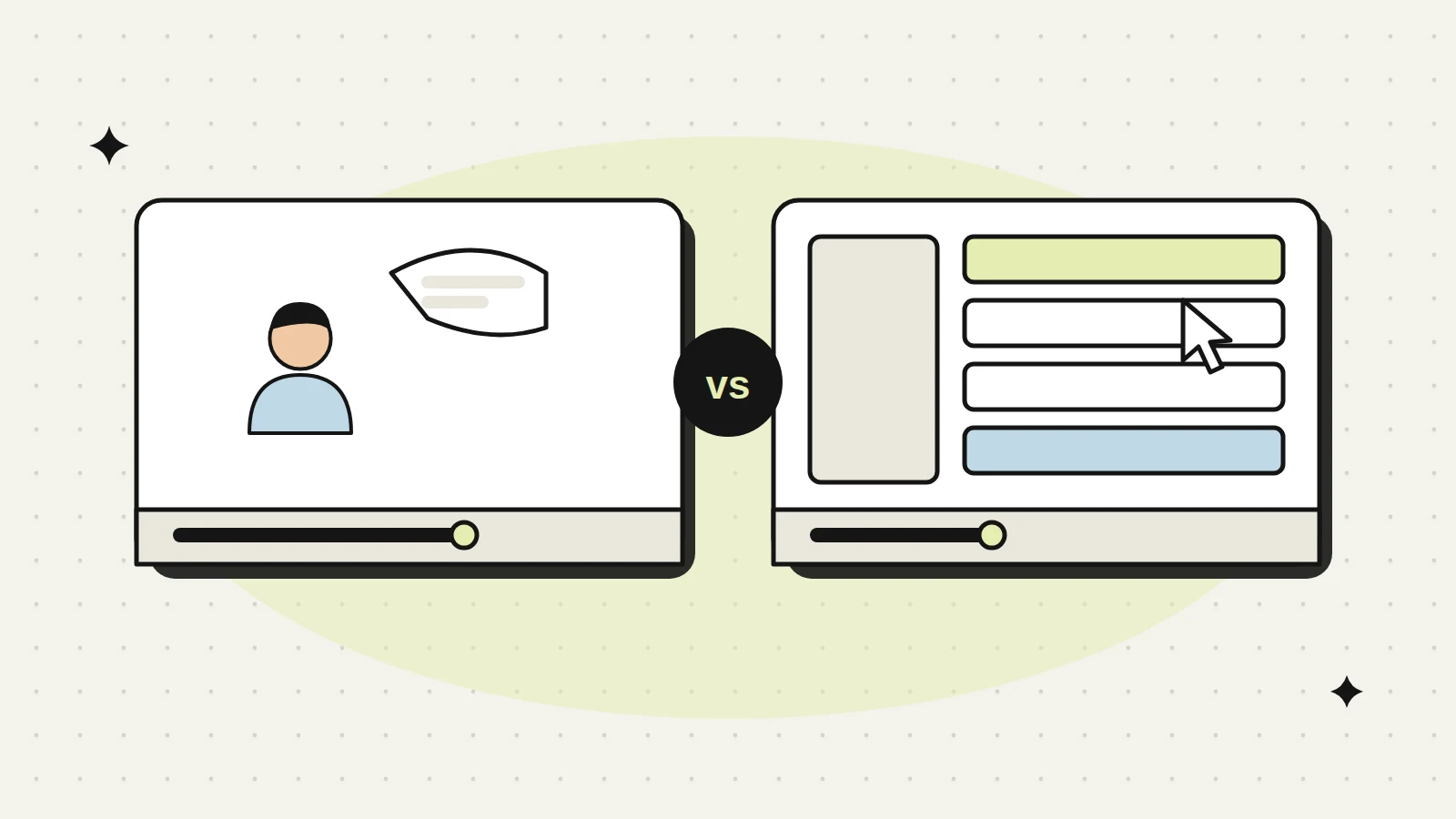
You have budget for one video, maybe two. Someone on the team says you need an explainer. Someone else says buyers want to see the product, so make a demo. Both sound sensible, and agencies will happily make either one.
The real question is not which format is better. It is which problem you are trying to fix right now. Are people not getting what you do? Or do they get it, but stall before they buy? This guide compares the explainer video vs product demo video side by side, so you can choose with confidence.
- An explainer video answers “what is this and why should I care?” It is short, simple and aimed at people who do not know you yet.
- A product demo video answers “how does it work and will it fit us?” It is longer, specific and aimed at people already considering you.
- Explainers sit at the top and middle of the funnel: homepage, ads, LinkedIn, first emails.
- Demos sit lower: product pages, sales follow ups, trial onboarding and proposals.
- If prospects are confused, start with an explainer. If they are interested but slow to decide, start with a demo.
The simple difference
Think of the two videos as two different conversations.
An explainer video is the first conversation at a conference. Someone asks, “So what does your company do?” You have a minute or two to explain the problem, your idea, and why it matters. You do not show every screen. You make them want to know more.
A product demo video is the meeting a few weeks later. The same person now has a real need and maybe a deadline. They want to see the actual product, the steps, the outputs, and whether it does the thing their team needs. Now detail is a good thing.
Mixing the two is the most common mistake. An explainer full of screens and feature names confuses new visitors. A demo that spends three minutes on the “big problem in the industry” wastes the time of a buyer who already knows the problem.
Side by side comparison
| Explainer video | Product demo video | |
|---|---|---|
| Main job | Create understanding and interest | Build confidence to buy |
| Viewer | Someone new to you or the category | Someone evaluating you against options |
| Typical length | About 60 to 120 seconds | Often 3 to 10 minutes, or a set of short clips |
| Style | Animation, motion graphics, or simple live action with a story | Screen recording, product footage, or a presenter walking through it |
| Focus | Problem, idea, outcome | Features, workflow, setup, results on screen |
| Script driver | The customer’s pain and the benefit | The tasks a user actually does |
| How often it changes | Rarely, unless positioning changes | Whenever the product or interface changes |
| Where it lives | Homepage, ads, social, cold email, events | Product pages, sales emails, trial onboarding, proposals |
These lengths are typical ranges, not rules. A complex industrial system may need a longer explainer. A simple SaaS feature may need only a 90 second demo. Start with what the viewer needs to know, then cut everything else.
Where each one fits in the B2B sales funnel
B2B buyers move through stages, and often do a lot of research before they ever speak to sales. Each video works best at a different stage.
- Awareness (top). Explainer. Used in LinkedIn posts, paid campaigns, trade show screens and the homepage hero. The goal is a clear first impression.
- Consideration (middle). Explainer still helps, often in shorter cut downs. A short feature clip from the demo can also work here, to show the product is real.
- Evaluation (bottom). Demo. Sent after a discovery call, placed on product and pricing pages, shared inside the buyer’s company by your champion.
- Onboarding and expansion. Demo style videos turn into tutorials. They help new users get value fast and help account managers sell add ons.
In B2B, your contact often shares your demo with a manager or IT team you never meet. Add a short intro that says who the product is for, and end with a clear next step, so the video still works without your sales rep there.
Share your funnel and sales questions. We will recommend the video that fixes the biggest gap.
How the scripts are different
The script decides whether the video works. The two formats need very different writing.
Explainer script structure
- Name the problem in the buyer’s words, not yours.
- Show what it costs them today (time lost, errors, missed deals, compliance worry).
- Introduce your idea in one sentence.
- Show two or three outcomes, not ten features.
- Close with one action: book a call, see the demo, visit a page.
A useful test: if you read the explainer script aloud to a friend outside your industry, they should be able to repeat back what you do.
Demo script structure
- State who this demo is for and what they will see.
- Follow one realistic workflow from start to finish, using believable sample data.
- Pause on the moments that matter most to buyers, like reports, approvals or integrations.
- Answer the common objections you hear in sales calls, on screen.
- Close with the next step: free trial, live demo, pricing, or contact.
Demo scripts are best written with your sales and product teams in the room. They know which questions come up in every call. Put those answers in the video.
Here is the same offer written both ways. It is an illustration we wrote for this guide, for an imaginary maintenance scheduling tool, not a client script.
| Beat | Explainer (about 75 seconds) | Demo (about 4 minutes) |
|---|---|---|
| Opening | “Every missed maintenance check starts the same way: a spreadsheet nobody updated.” | “This demo is for maintenance heads running two or more plants. You will see one work order go from alert to sign-off.” |
| Middle | “Our tool turns machine alerts into scheduled jobs, so the right technician gets the right task on time.” | On screen: an alert arrives, the planner assigns it, the technician closes it on a phone with a photo, the report updates. |
| Proof | “Fewer surprise breakdowns, cleaner audit records, less chasing.” | Show the audit log and the export, and answer “does it work offline?” on screen. |
| Close | “See it in action. Book a 20-minute demo.” | “Start a pilot on one line, or ask us about pricing.” |
Notice what changes. The explainer never shows a screen and names one outcome per line. The demo follows one real task and answers a sales objection on the spot.
What to prepare before production
Whichever video you choose, good preparation saves rounds of changes later.
For an explainer:
- Your positioning in one or two sentences, agreed by leadership
- Your ideal customer and the main problem they face
- Brand guidelines: logo, colors, fonts, tone of voice
- Two or three examples of videos you like, and why
- Where the video will be used, so the agency can plan formats and lengths
For a demo:
- A clean demo account with realistic, non-confidential sample data
- The final version of the interface (avoid recording screens about to change)
- A list of the workflows buyers ask about most
- Access to a product person who can answer questions during scripting
- Any compliance or security points that must be stated correctly
If a new interface is coming in the next few months, wait or plan the demo in short modular clips. Otherwise your demo will look outdated soon after launch and sales will stop using it.
Style choices: animation, screen recording or live action
Format follows purpose. A few practical guidelines:
- Animated explainers suit ideas that are hard to film: software, data, financial products, processes inside machines. They are easy to update when one part changes.
- Live action explainers suit businesses where people and places build trust, like engineering firms, factories and infrastructure projects. Seeing the real team and site matters.
- Screen recorded demos suit SaaS and digital products. Add zooms, highlights and a clear voiceover so viewers do not get lost.
- Filmed product demos suit physical products and equipment. Close shots of the machine working, setup steps and safety features help buyers trust it.
For technical sectors like B2B technology or industrial equipment, mixing styles often works well. For example, an animated explainer to show the idea, and a filmed demo to show the real machine or real dashboard.
When to make both, and in what order
Most B2B companies with a real sales process end up needing both. The question is order.
- Start with the explainer if your website bounce rate is high, if sales calls begin with “so what exactly do you do?”, or if you are entering a new market or launching a new category.
- Start with the demo if you already get enough interest but deals stall, if sales reps repeat the same walkthrough every week, or if buyers ask for a recording to share internally.
- Make both together if you are launching a new product or a new website. You can share the script research, brand assets and voiceover talent, which usually saves time and keeps the message consistent.
If you plan both, write the explainer first. It forces you to agree on the core message. The demo then builds on that message instead of inventing a new one.
Common mistakes with each format
Both videos fail in predictable ways. Knowing them upfront helps you brief better and review drafts with a sharper eye.
| Explainer mistakes | Demo mistakes | |
|---|---|---|
| Message | Trying to say everything, so nothing sticks | No clear story, just clicking through menus |
| Language | Internal jargon and product names the viewer has never heard | Skipping steps that feel obvious to your team but not to a new user |
| Length | Stretching past two minutes to fit more features | One long video with no chapters, so busy buyers give up |
| Visuals | Generic characters and stock scenes that could belong to any company | Messy test data, pop ups and half loaded screens |
| Ending | No call to action, or five of them | Ending abruptly without a next step |
The other big mistake is placement. A great video hidden at the bottom of a page, or never sent by the sales team, does nothing. Plan where each video will live before you produce it. For the explainer, that usually means the homepage and key landing pages, which is a good reason to plan video together with your website. For the demo, agree with sales on exactly which emails and stages it belongs in, and make it easy for them to find.
Finally, measure something simple. For the explainer, watch how far people get and whether they click the next step. For the demo, ask sales whether calls got shorter or whether fewer people asked basic questions. These signals tell you if the video is doing its job.
How we approach it at Hypergrow
Our video production work sits inside the same team that handles branding, websites and SEO. That matters for this decision, because a video is only useful if it lands in the right place: the right page, the right email, the right step of the sales process. We start by asking what is blocking deals today, then recommend the format that fixes that first. When you are ready to compare production quotes, our guide to choosing a corporate video company has a quote comparison sheet.
We are probably not the right choice if you need a large scale TV commercial or a feature length brand film. We focus on B2B videos that help people understand and buy. If you are weighing up an explainer, a demo or both, talk to us and we will help you decide what to make first.
Frequently asked questions
Straight answers about working with us.
What is the main difference between an explainer video and a product demo video?
An explainer video explains the problem and your idea at a high level, for people who are new to you. A product demo video shows how the product actually works, for people who are evaluating it. One builds interest, the other builds confidence to buy.
How long should a B2B explainer video be?
Most explainers work best at around one to two minutes. That is enough to name the problem, introduce your idea and show a few outcomes. If you need much longer, you may be trying to fit a demo into an explainer.
Can one video do both jobs?
It can, when the product is simple and most viewers are at the same stage, for example a short video that explains the idea and then shows one key screen. For most B2B products, one explainer plus a demo split into short chapters works better, so each viewer can watch what they need. You can also cut short clips from the demo for social and ads.
Should a product demo video have a voiceover or a presenter?
Both work. A voiceover with clean screen recording is easier to update when the product changes. A presenter on camera adds trust and personality, which helps when the buyer has never met your team.
How often should we update our demo video?
Update it when the interface or main workflow changes enough that buyers would notice. Making the demo in short modules makes this easier, because you only replace the parts that changed instead of the whole video.
Which comes first, an explainer or a product demo?
Usually the explainer. It tells new visitors why the product matters. The demo helps people who already understand the problem see how it works.
How long should an explainer video be?
Between 60 and 90 seconds for most B2B products. Long enough to explain the problem and the outcome, short enough to watch to the end.
Where should each video be placed on a website?
The explainer belongs on the homepage and key landing pages. Demos belong on product pages, in sales follow-ups and in onboarding emails.
Can one video do both jobs?
Rarely well. Explainers need to be short and simple, demos need detail. A shared visual style keeps both feeling like one brand.
Do explainer and demo videos help SEO?
Yes, when hosted on your pages with transcripts and structured data, and published on YouTube with clear titles. That gives search engines and AI tools text to understand.
How do we choose a studio for explainer and demo videos?
Look for B2B work similar to yours, a strong script process and clear pricing for both formats. Hypergrow can produce both in one project so they share a look and message.
Keep reading
More on video.
 Video10 min readHow to Choose a Corporate Video Production Company for B2B
A plain buyer's guide for B2B teams: what drives video cost and timeline, what to prepare, how to read a showreel, and which questions to ask.
SSanjiv2 Feb 2026 Pricing and Costs8 min readCorporate Video Production Cost in Dubai: 2026 Price Guide
What a corporate video costs in Dubai in 2026, what actually moves the price, and how to compare quotes without guessing.
SSabesh30 Jan 2026 Pricing and Costs6 min readExplainer Video Cost in Singapore: 2026 Price Guide
What an explainer video costs in Singapore in 2026, why quotes range so widely, and how to choose the right level for your product.
SSabesh26 Jan 2026Start a conversation
Explainer, demo or both?
Share your product page and where deals stall. We will tell you which video to make first, and why.